
Q-Sky
Your Revision Partner
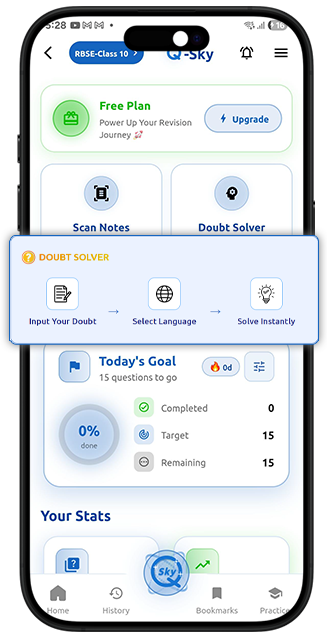
 Doubt Solver


Q-Sky FAQs
Students Ask Us About
What is Q-Sky?
Q-Sky is an AI-powered feature of ToppersSky that turns your notes into interactive quizzes. It helps you practice and revise in a smarter way.
How does Q-Sky generate MCQs?
Just upload or scan your notes, and Q-Sky quickly converts them into MCQs. It picks important points and creates MCQ questions automatically.
Can I create quizzes from my own notes?
Yes! You can upload your handwritten or typed notes, and Q-Sky will generate a quiz based on your content.
What types of questions does Q-Sky generate?
Q-Sky mainly generates MCQs that are useful for practice, revision, and exam preparation.
Can Q-Sky help me in exam preparation?
Yes, Q-Sky helps you revise faster by turning your study material into quick MCQ tests, so you can practice anytime.
What is the Doubt Solver in Q-Sky?
Doubt Solver is a feature inside Q-Sky that helps you clear your doubts instantly. You can upload a photo of your question or type it manually, and it will give you a detailed step-by-step solution for better understanding.
How can I use the Doubt Solver feature?
You can simply upload an image of your question or type it in Q-Sky. The tool will analyze it and give you a detailed solution in seconds.
What are the plans for Q-Sky?
Q-Sky has 3 simple and affordable plans for students. The Free Plan gives 3 scans per day with up to 10 questions for basic practice. The Pro Plan (₹49) gives 30 scans for 30 days with up to 30 questions and detailed answers. The Ultimate Plan (₹149) offers 100 scans for 90 days, up to 50 questions, faster processing, and better accuracy.